
Free AI TikTok Summarizer
Summarize TikToks and Reels From Just the Link
Saved a TikTok recipe, tutorial or explainer you'll never rewatch? Paste the link and PageSum turns what was said into a summary you can skim, save and search later.
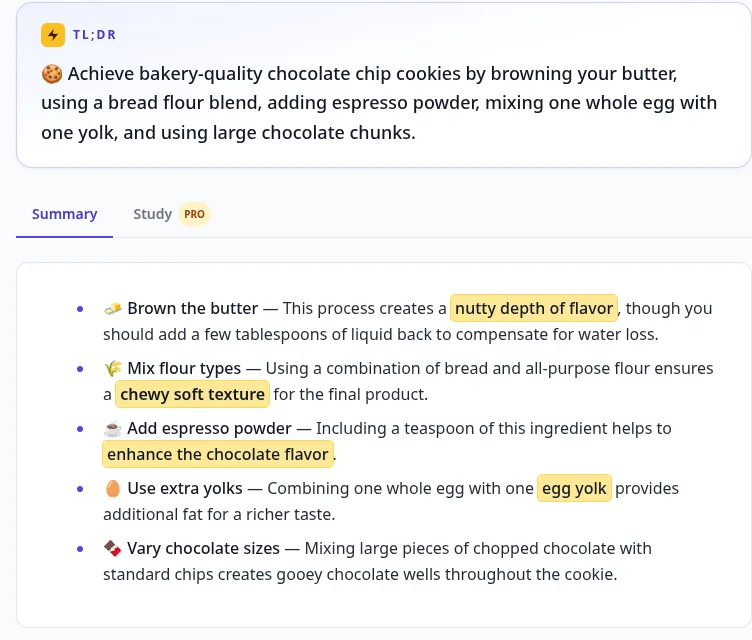
A real result
How It Works
How to summarize a TikTok video
Copy the video link
In TikTok or Instagram, tap Share, then Copy link. Short links like vm.tiktok.com work too.
Paste it into PageSum
Paste the link and pick Quick for a short overview or Key Points for a list you can act on.
Read the summary
PageSum uses the video's captions, or transcribes the audio with AI when there are none, and writes the summary.
What You Get
Built for short videos
No captions needed
Most TikToks and Reels have no captions. PageSum transcribes them with AI: up to 5 minutes free, up to 25 on Pro.
5 platforms, one box
TikTok, Instagram Reels, X (Twitter), Facebook and YouTube links all go in the same place.
Saved and searchable
Every summary lands in your history, so the recipe or tip you saw last week is one search away.
Any language
Summaries in 36 languages. Get an English summary of a Spanish or Turkish TikTok.
Ask about the video
Ask what the ingredients were, or which tool was mentioned. 1 question a day free, unlimited on Pro.
Share a summary
Send a summary to a friend as a link. They don't need an account to read it.
All 6 summary modes
PRODetailed, ELI5, ELI10 and One-Liner on top of Quick and Key Points.
Unlimited videos
PROThe free plan includes 1 video a day. Pro has no daily limit.
Steps from how-to videos
Recipes, crafts, garden hacks and app setups come with numbered steps and the ingredients or materials first, in the video's language.
PageSum vs other TikTok transcript tools
Checked on each tool's own website on 24 October 2026. Limits and prices change, so check their pages before you decide.
Account needed
- PageSum
- Yes, free (email link)
- TokScript
- Not for its quick link tool
- Supadata
- No, for one-off use
Free limit
- PageSum
- 1 video a day (2 on your first day)
- TokScript
- 5 transcripts a day
- Supadata
- No daily number stated (fair-use limit)
Videos without captions
- PageSum
- AI transcription: 5 min free, 25 min on Pro, 90 min on Max
- TokScript
- No: its FAQ says videos without TikTok's own transcript can't be downloaded
- Supadata
- AI transcription
Summary
- PageSum
- Yes: 6 modes (2 on the free plan), 36 languages, follow-up questions
- TokScript
- Not on its page (it offers hook, script and virality tools)
- Supadata
- Not on its page
Transcript download
- PageSum
- TXT, SRT, VTT, free
- TokScript
- TXT, XML, JSON, CSV
- Supadata
- TXT, SRT
Paid plan
- PageSum
- $7.99/month or $59/year
- TokScript
- $10/month, $39/year, $69 lifetime
- Supadata
- Not on the page (API: 100 free requests a month)
Also works for
- PageSum
- Instagram Reels, Facebook, X, YouTube
- TokScript
- Instagram Reels, YouTube
- Supadata
- Instagram, Facebook, X, YouTube (API)
| PageSum | TokScript | Supadata | |
|---|---|---|---|
| Account needed | Yes, free (email link) | Not for its quick link tool | No, for one-off use |
| Free limit | 1 video a day (2 on your first day) | 5 transcripts a day | No daily number stated (fair-use limit) |
| Videos without captions | AI transcription: 5 min free, 25 min on Pro, 90 min on Max | No: its FAQ says videos without TikTok's own transcript can't be downloaded | AI transcription |
| Summary | Yes: 6 modes (2 on the free plan), 36 languages, follow-up questions | Not on its page (it offers hook, script and virality tools) | Not on its page |
| Transcript download | TXT, SRT, VTT, free | TXT, XML, JSON, CSV | TXT, SRT |
| Paid plan | $7.99/month or $59/year | $10/month, $39/year, $69 lifetime | Not on the page (API: 100 free requests a month) |
| Also works for | Instagram Reels, Facebook, X, YouTube | Instagram Reels, YouTube | Instagram, Facebook, X, YouTube (API) |
Need hundreds of transcripts at once for content research? TokScript does bulk downloads. PageSum is built for understanding a video: the summary, questions about it, and a history you can search.
Free and Pro limits
| Free | Pro | |
|---|---|---|
| Video summaries | 1 per day (2 on your first day) | Unlimited |
| Videos with captions | First 5 min | Any length |
| Videos without captions | Up to 5 min (AI transcription) | Up to 25 min (AI transcription) |
| Summary modes | Quick, Key Points | All 6 |
| Chapters (videos 3 min+) | Yes | Yes |
| Full transcript with timestamps, search, copy, .txt/.srt/.vtt | Yes | Yes |
| Click-to-jump transcript, [m:ss] citations in summaries | — | Yes |
| Follow-up questions | 1 per day | Unlimited |
Pro is $7.99/month or $59 for a year. See everything in Pro
Frequently asked questions
Can AI summarize a TikTok video?
Yes. Paste a TikTok link into PageSum and it summarizes what is said in the video. If the video has captions, PageSum uses them; if not, it transcribes the audio with AI first.
Is the TikTok summarizer free?
Yes. The free plan includes 1 video summary a day (2 on your first day), in Quick or Key Points mode, with AI transcription for videos up to 5 minutes. No credit card is needed. When the free video is used up, Pro removes the daily limit.
Can I get the transcript of a TikTok too?
Yes. The full transcript sits next to the summary, and you can copy it or download it as TXT (and as SRT or VTT when it has timestamps).
Can it get the link from a "comment LINK" TikTok?
No, the link sent by DM is never in the video. PageSum writes out the tool names, steps and prompts the creator says, which is usually enough to find the tool yourself.
Does it work with Instagram Reels?
Yes. Public Instagram Reels, X (Twitter) videos and Facebook videos use the same flow: paste the link and pick a summary mode.
What about TikToks longer than 5 minutes?
The free plan covers the first 5 minutes of any video. On Pro, videos with captions work at any length, and videos without captions up to 25 minutes.
Which TikTok posts don't work?
Photo posts, videos from private accounts, and videos with only background music. PageSum summarizes spoken content, so a video needs someone talking.
Do I need a TikTok account?
No. PageSum only needs a public link to the video. You do need a free PageSum account to summarize videos.
Can PageSum turn a TikTok recipe or tutorial into steps?
Yes. When a TikTok teaches a procedure, PageSum adds numbered steps above the summary, with the ingredients or materials first and the amounts that are spoken. It works without captions and in the video's language.
Related guides
- TikTok video to text: just the transcript
- Turn a how-to TikTok or Reel into a step-by-step checklist
- How to summarize TikTok and Instagram videos
- How to get the transcript of a TikTok video
- How to turn TikTok videos into notes
- StudyTok videos to notes and flashcards
- Instagram Reel summarizer
- "Comment for the link" reels: get the tool name without commenting
- YouTube video summarizer
- How PageSum handles videos without captions
- 5 best video summarizer tools compared
Turn your saved TikToks into notes
Free to start, no credit card. 1 video summary a day on the free plan.
Summarize a TikTok Free